
Role:
User Experience Designer
Date:
March - September 2023
Prototype:
Tools:
Figma | Adobe Illustrator
| Optimal Workshop
Project Overview
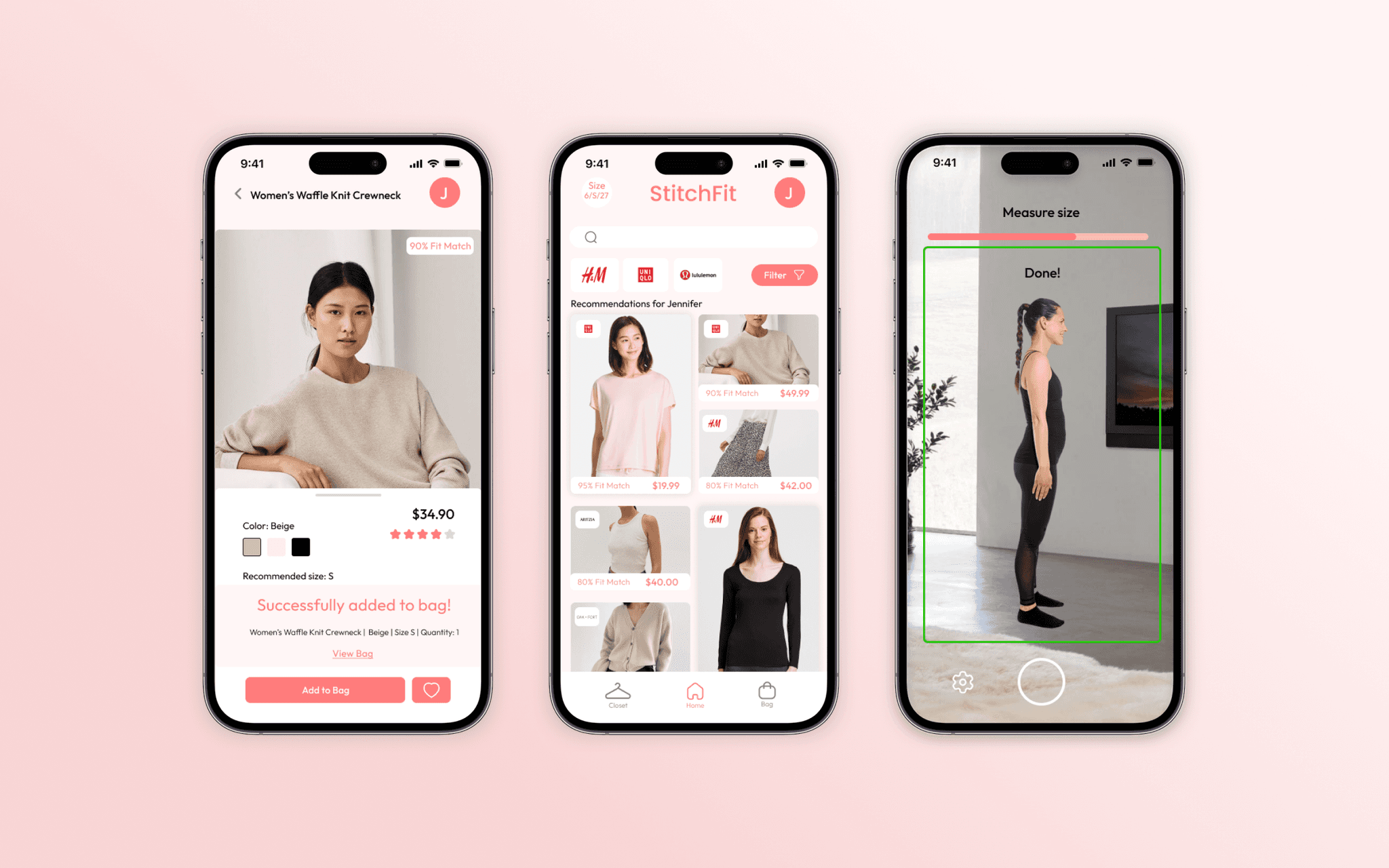
StitchFit is an ecommerce app that recommends shoppers correct fitting clothing by measuring them with photo technology and using their measurements to curate a selection of clothing from different brands personalized to their size and preference.
This case study delves into the challenges of finding the correct size when shopping online. Over a six-month period, I designed an application from ideation to prototype, addressing this issue with an innovative approach and user-informed solutions.
Problem
A common issue with the rise of online shopping is purchasing clothes that turn out to be the wrong size. This problem leads to a higher rate of returns, creating challenges for both companies and the environment.
Inconsistency in clothing sizing exists due to vanity sizing that emerged in the 20th century as well as different styles across different brands.
Sizing inconsistency in the fashion industry is an issue for shoppers, businesses, and the environment.
Shoppers bracket purchase clothing and return the wrong sized clothing to combat this existing issue they face.
There are some solutions towards the issue of clothing size inconsistency such as plug-ins for online retail stores as well as more experimental solutions
Final Designs
To tackle this issue, I explored methods to improve size accuracy using both objective and subjective forms of measurements and data collection. StitchFit utilizes photo technology to measure users' sizes and recommends clothing from their favorite brands that fits them correctly.
Why is this a problem?
To further understand users pain points on the current state of online shopping, I conducted user interviews to recognize the target user and to see how online shoppers felt about finding their size online.
I conducted user interviews with five participants to gain deeper insights into my target users and inform my design. The questions focused on their routines and opinions about the current state of online shopping. Which informed the design to analyze users' body measurements to determine the best size for them, addressing the inevitable inconsistencies between brand sizes. Some main insights that users brought up include:
"It's important for the online store to have a good return policy, and it played a factor in whether they were willing to purchase from the store."
"Sizes are inconsistent more between brand than within brands but fabric stretch can make sizes within brands inconsistent"
" Reviews and images play a large part in how I determine my size online."
" If I am in between 2 sizes, I will decide if I prefer a looser or tighter fit and then choose my size according to that."
Current Solutions
Similar problem spaces have been addressed by other products. Market solutions typically include retail site plugins with quizzes for size estimation. These approaches fall short due to subjective measurements and limited user awareness. However, TrueFit presents an innovative solution by estimating sizes based on brands the user already knows, thus incorporating the user's personal knowledge for more accurate sizing.
One gap in the market is a product that recommends clothing based on the user's size and preferences, rather than the user having to search for items that fit. This approach ensures that users won't encounter the frustration of finding something they like only to discover it's not available in their size.
Allows users to save data
Sizing based off familiar brands
Visibility
Objective Sizing Accuracy
Retail Site Integration


Sketches
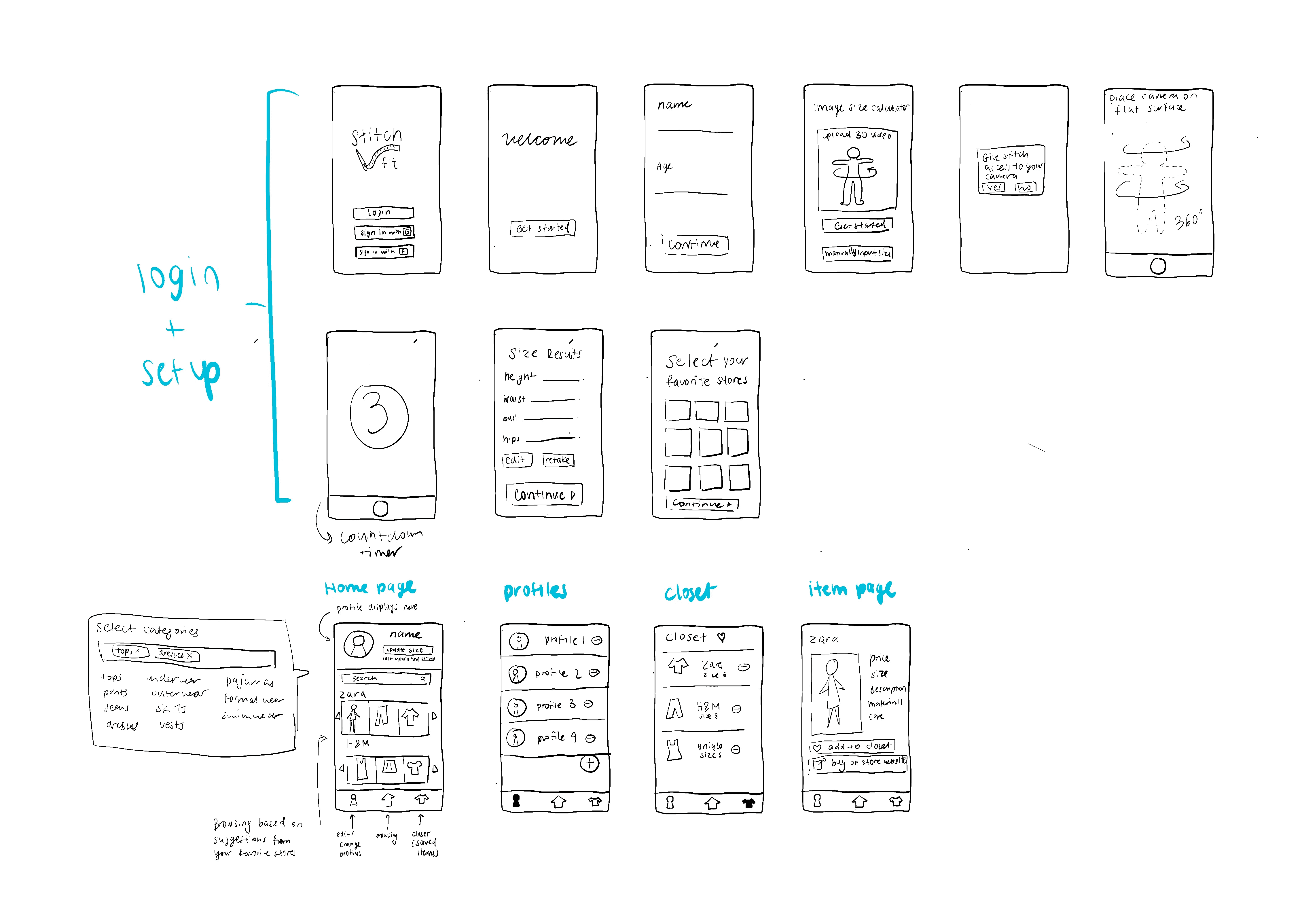
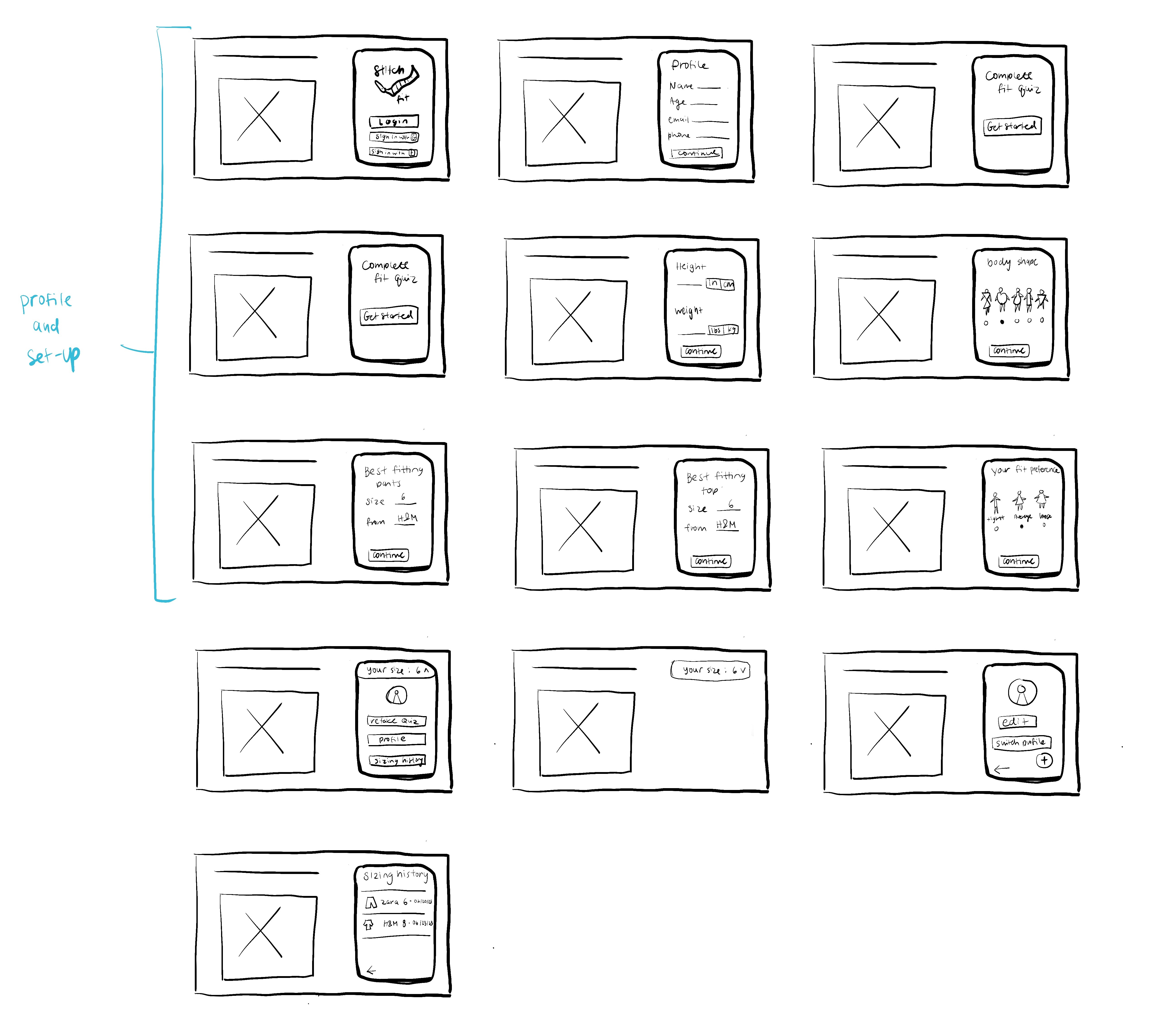
Informed by the user research, I began designing low-fidelity sketches to determine the direction that I wanted to take my project and to brainstorm details that would be included in the final design.
I brainstormed two ideas for products that would solve the problem of inconsistent sizing online.
Sketch 1 is an app that utilizes photo scanning technology to determine an users size, then suggests clothing based on their size
Sketch 2 is a browser plug-in that asks users a variety of questions about their body, fit preferences, an sizing from specific brands
I decided to proceed with Sketch 1 because it provides a more objective method for measuring the user's size, resulting in more accurate sizing suggestions.
I decided to proceed with Sketch 1 because it provides a more objective method for measuring the user's size, resulting in more accurate sizing suggestions.
1
2
Wireframes
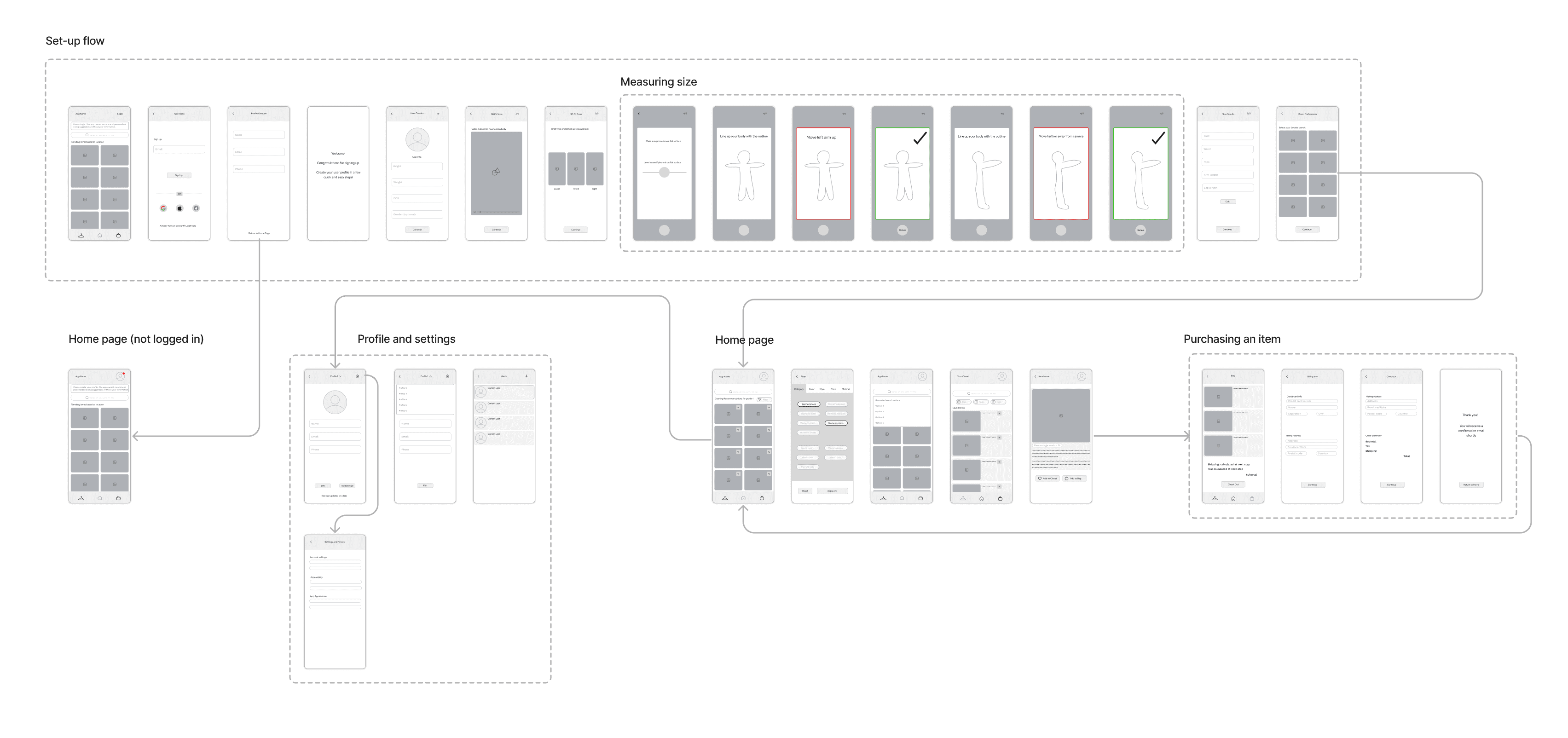
I translated my first sketches into low-fidelity wireframes and created a clickable prototype to test with users. Based on 3 tests, I’ve made a few alternations and moved on to creating high-fidelity prototypes.
Some recommendations that users suggested were:
Add a filter search option.
Make switching users more intuitive and easier to find.
Move the login to a later part of the app so that users are not asked to login immediately after opening the app.
Improving the onboarding process
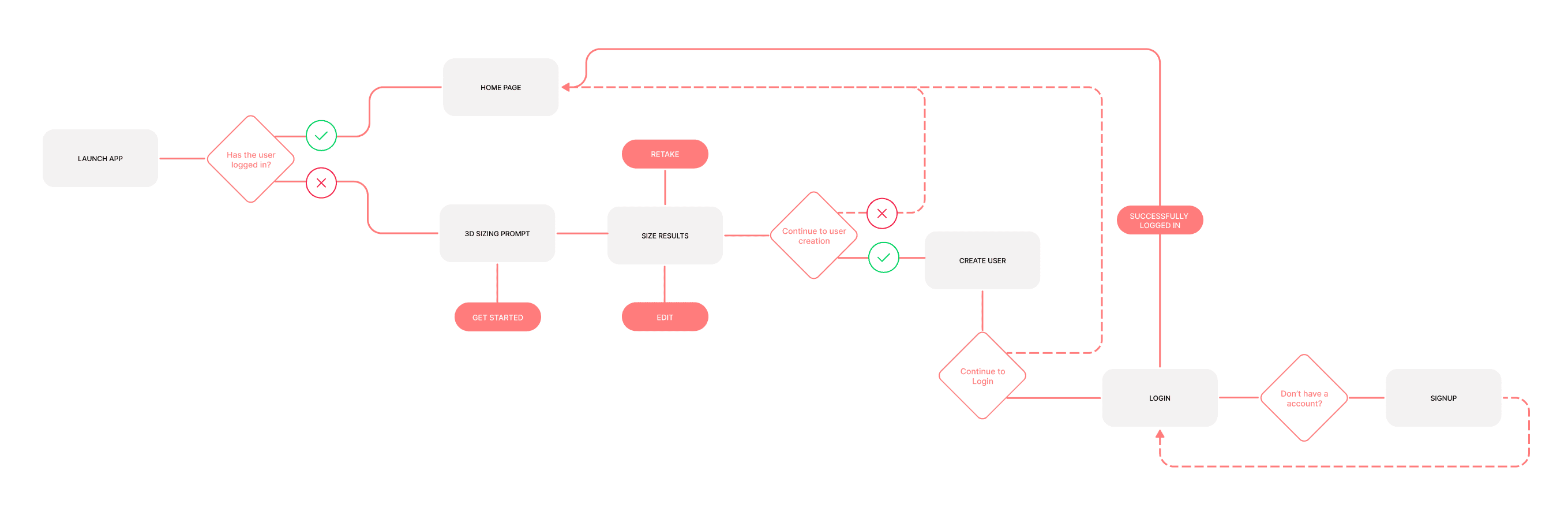
One challenge identified during usability testing was that users did not want to log in at the beginning of the set-up process. Allowing users to skip certain steps creates a more seamless and user-driven introduction to the app, enabling them to understand its functionality before signing up.
Users will have three opportunities to skip the setup process:
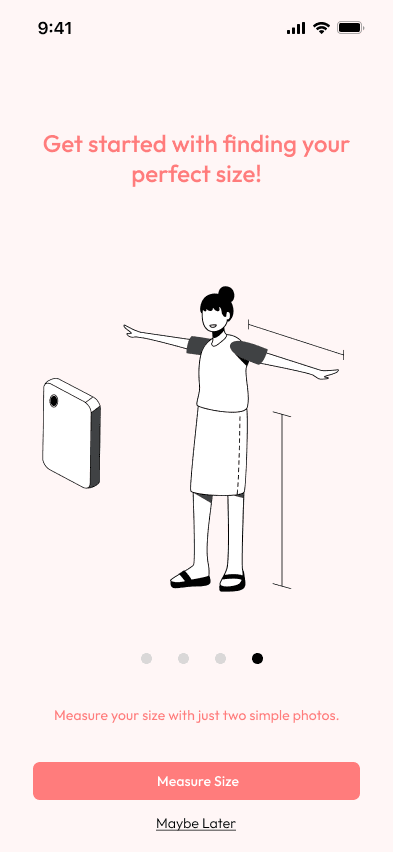

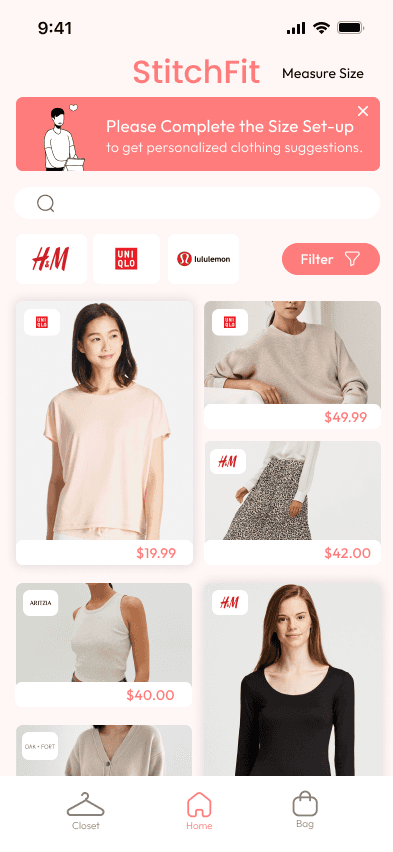
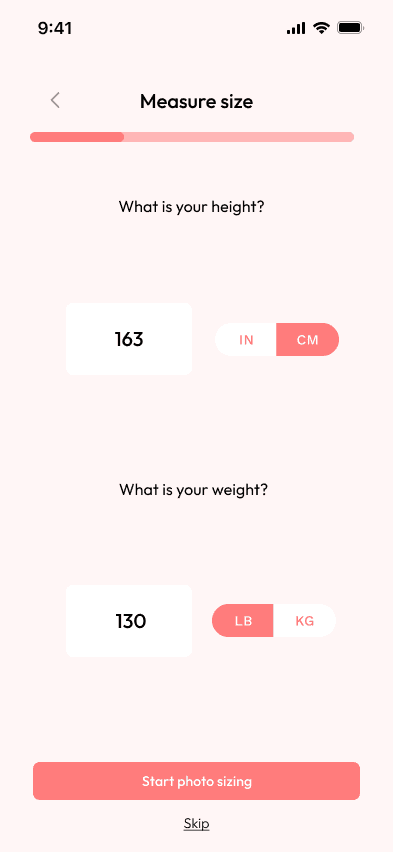
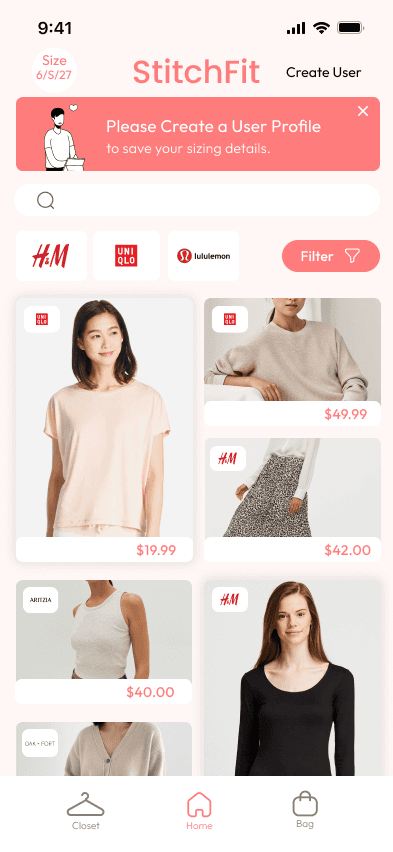
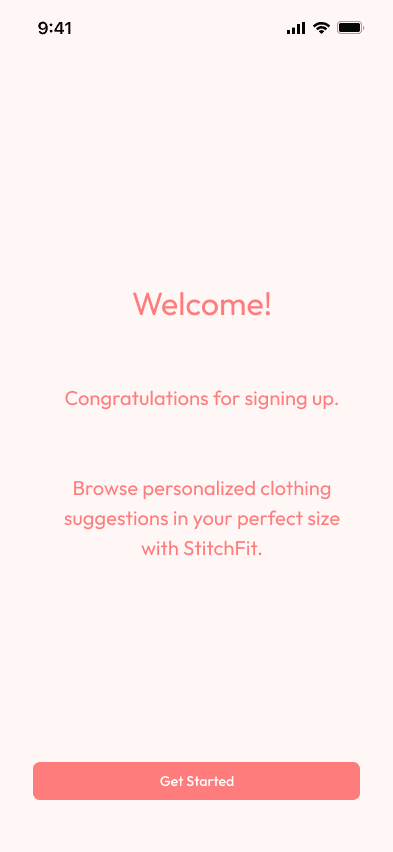
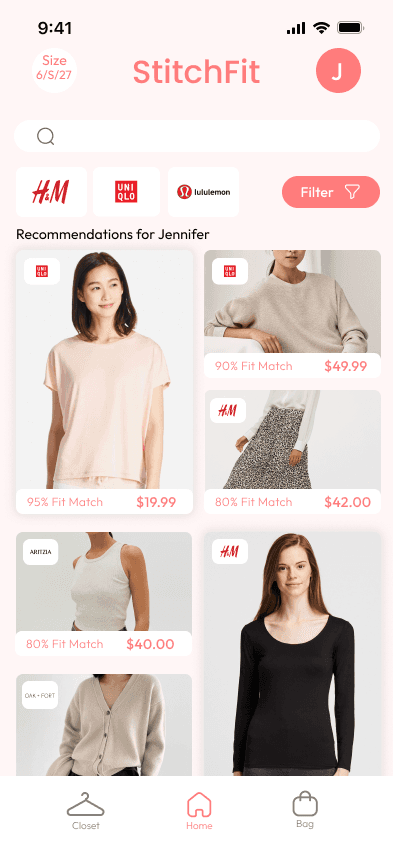
Set-up Flow
Design Improvements
To test my high-fidelity design, I conducted usability testing with 5 users. I asked the users to complete a series of tasks while providing feedback on specific flows and functions. The main usability issues identified included:
Issue 1: Order history is hard to find.
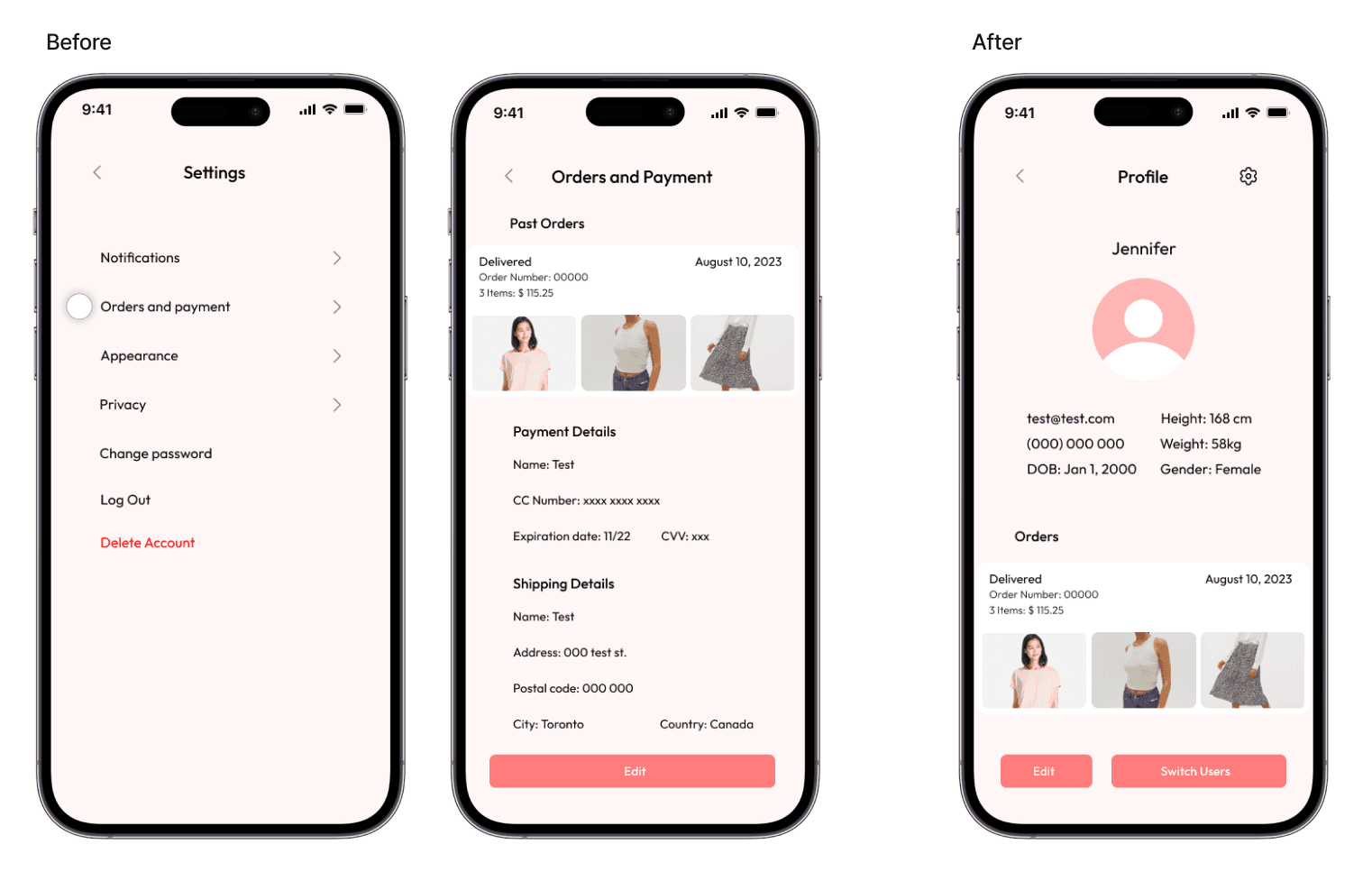
I moved the order history to the front page of the profile so that it is easier for users to find.
Issue 2: Closet button is hidden and not intuitive.
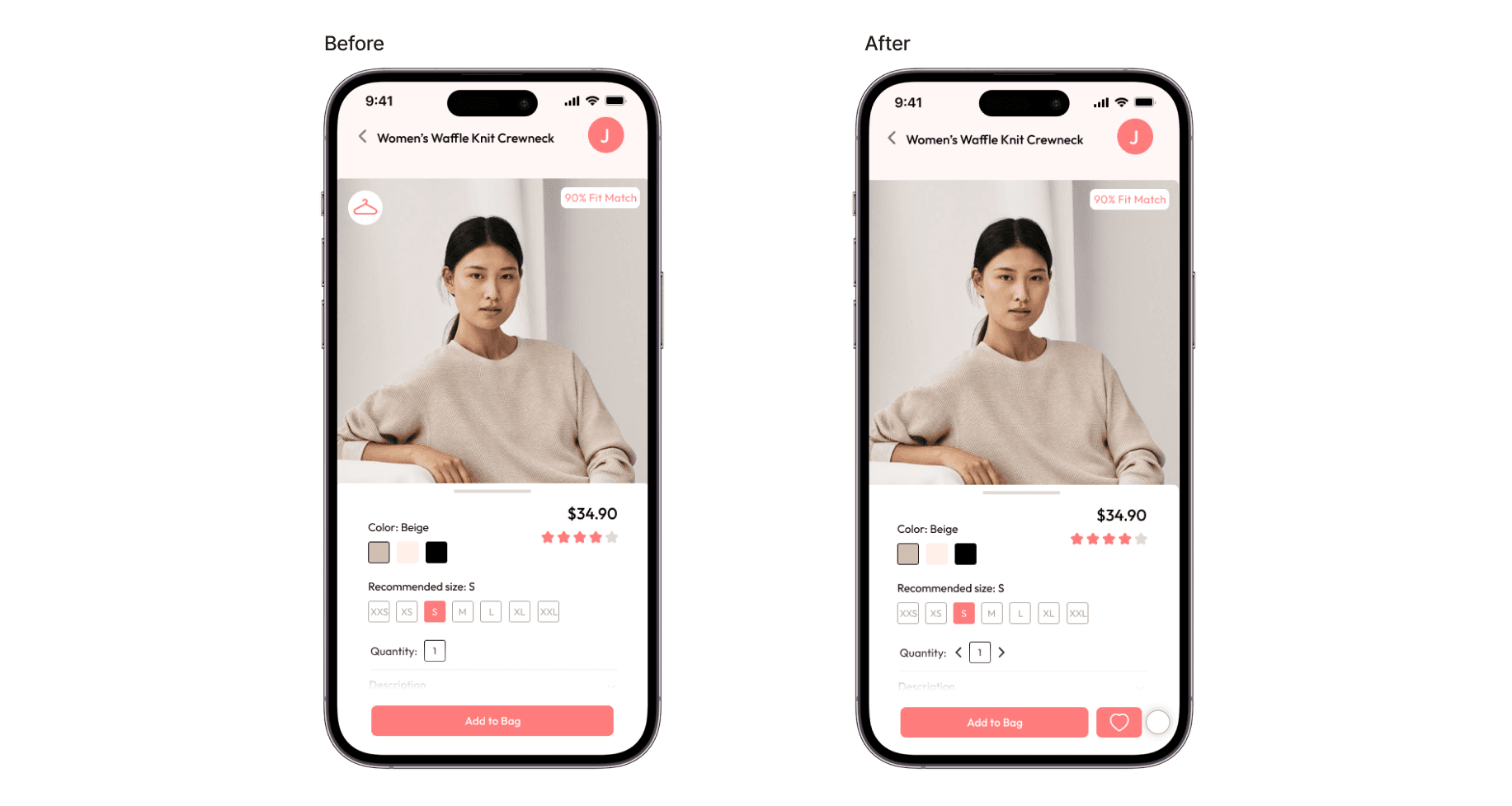
I moved the 'add the closet' button next to the 'add to bag' button and changed it to a heart icon so that it is more intuitive and easier to find for users.
Issue 3: Settings button does not navigate anywhere.
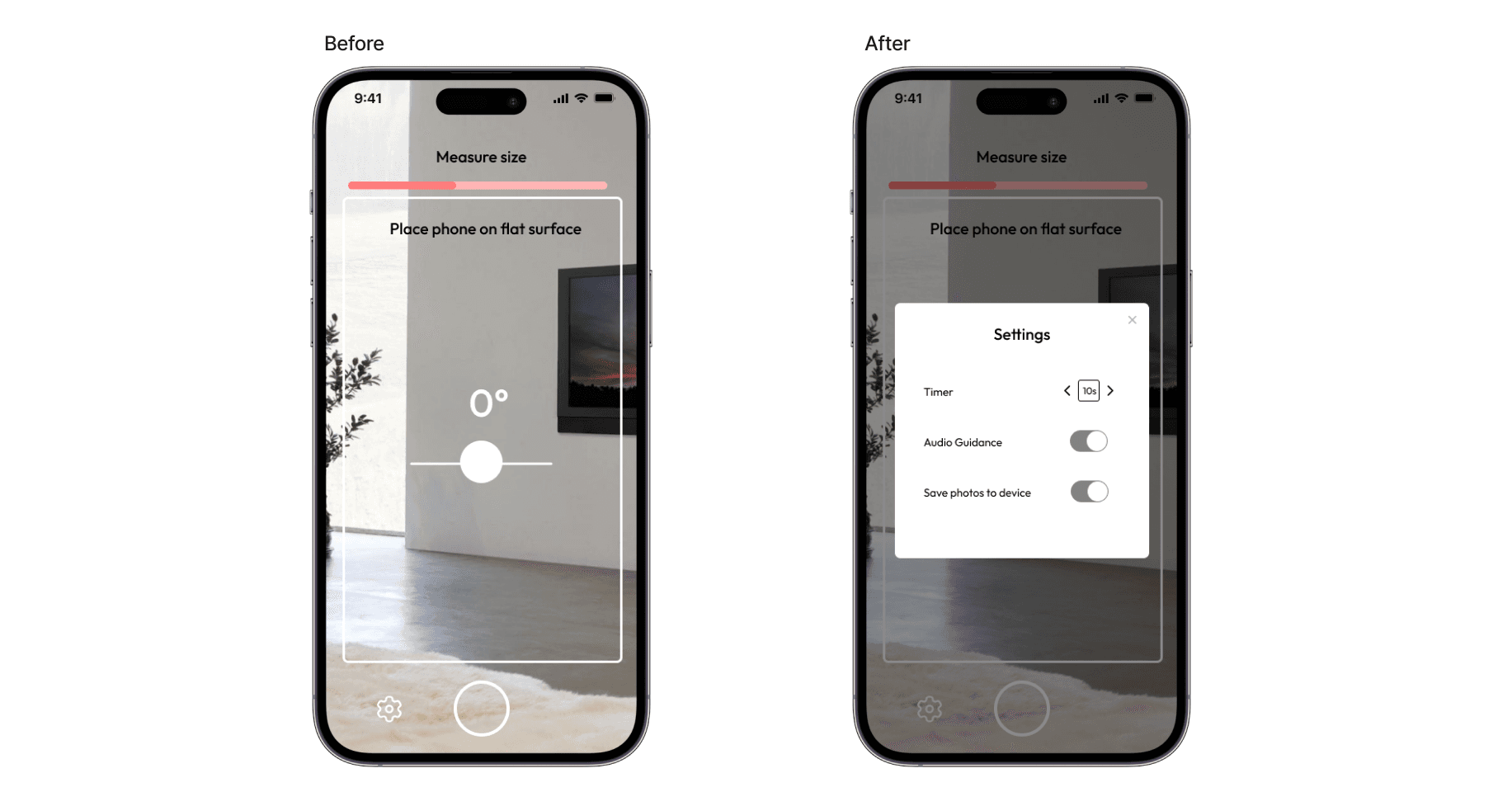
I added a pop-up that controls settings for the photo sizing process.
Issue 4: The change from "Add to bag" to "View in bag" is not obvious.
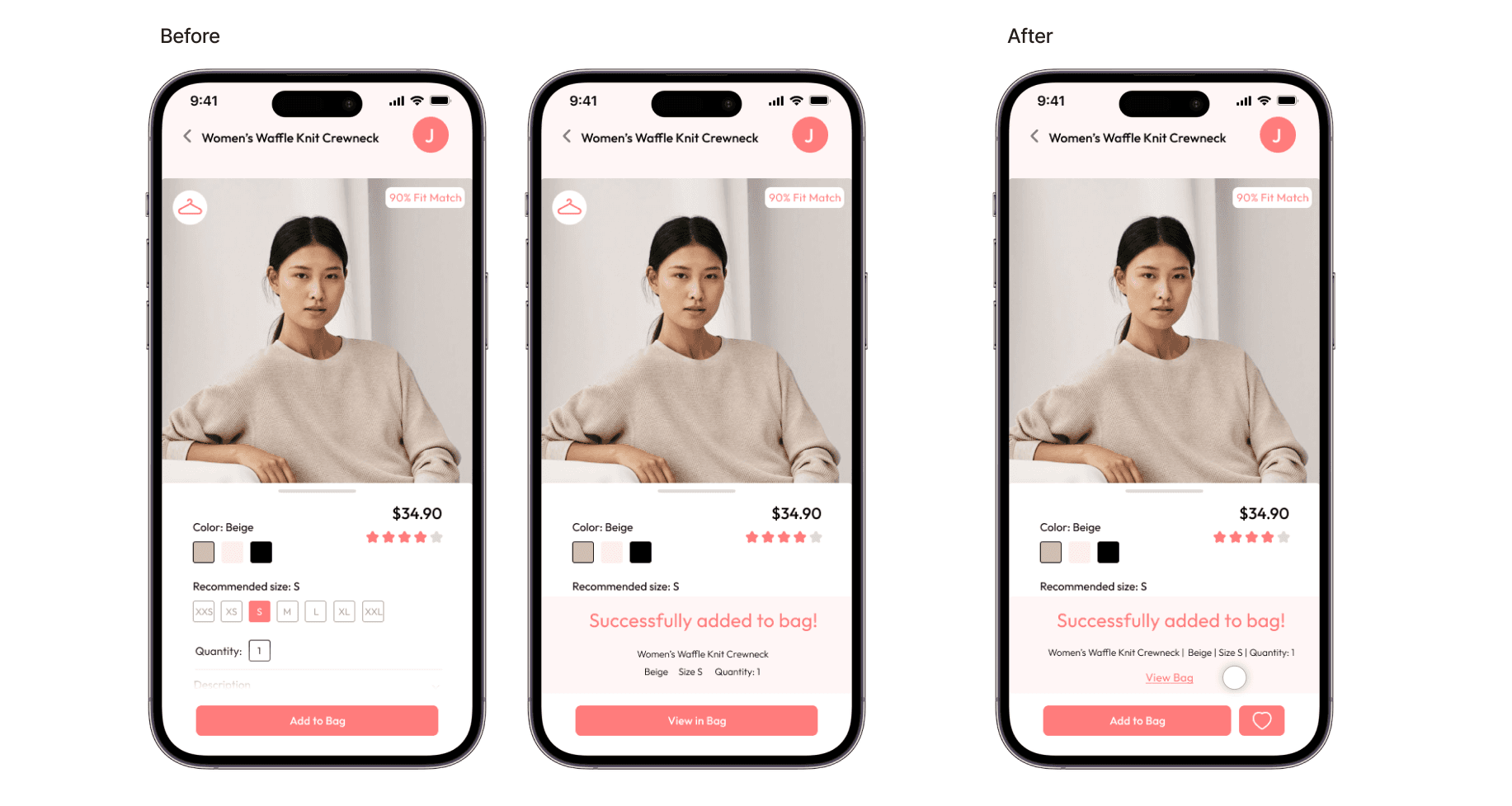
I added the link to view in bag on the pop-up so that it is more visible for users.
Lessons Learned
The set-up process for an app should be quick and simple, giving the user a choice to skip certain choices.
It is important to keep the user's needs in mind throughout the whole design process.
Usability testing is important throughout the design process and will reveal usability issues that you did not predict.
Role:
User Experience Designer
Date:
November - January 2026
Tools:
Figma
Role:
User Experience Designer
Date:
November - January 2026
Tools:
Figma
Cards
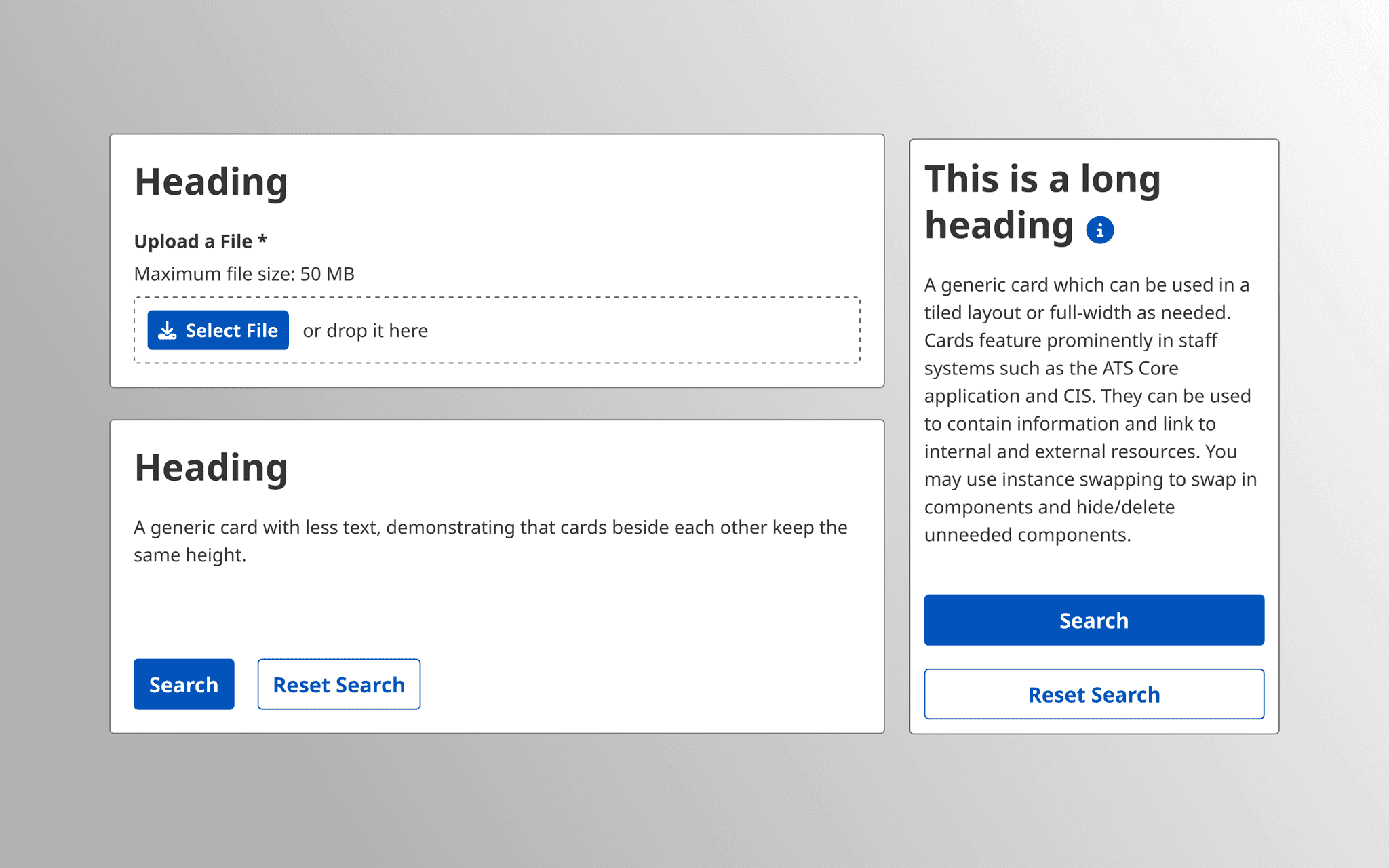
This case study documents my work designing and validating the card component for the U of T Global Design System. Although the card component appears simple on the surface, the challenge was designing a component that works across multiple applications and is intuitive for both designers to use and developers to implement.
Process of Creating Component
Conducting Background Research
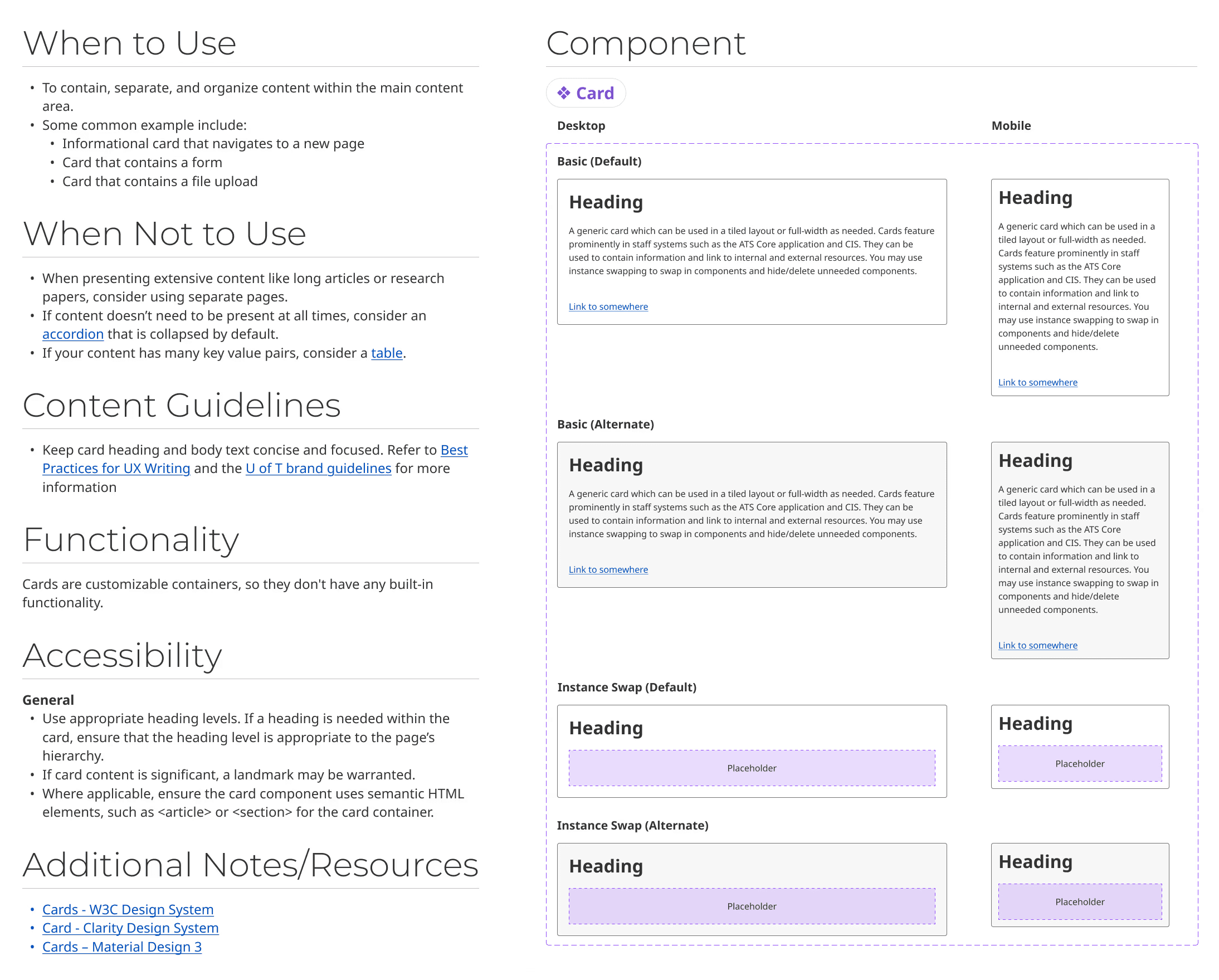
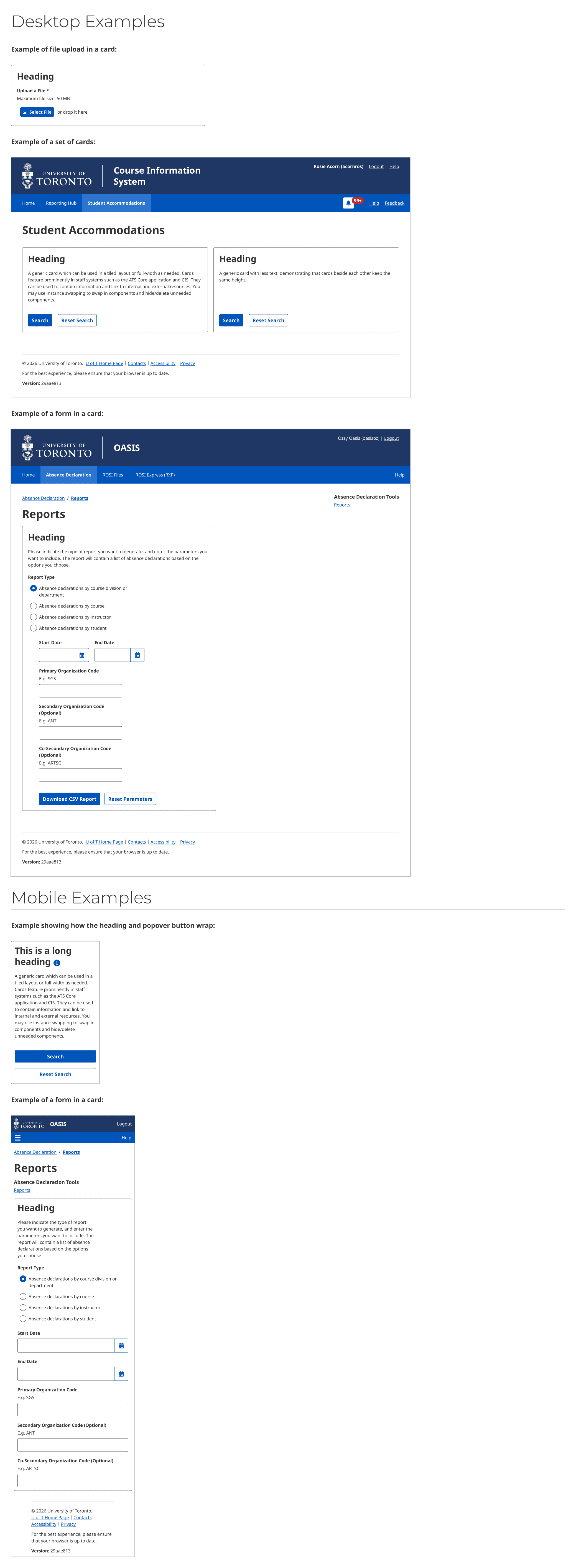
I reviewed all instances of cards across our current applications and discovered that the most common use case was a card containing a header, body text, and a call-to-action button. However, there were also other use cases, such as forms within cards, file uploads, and input fields embedded in cards.
From this analysis, I concluded that cards are a highly versatile component within our applications, and the component needed to accommodate a wide range of use cases.
An important aspect of designing components for a design system is not only examining immediate use cases within your own organization, but also referencing design systems from the broader UX community to understand how other designers approach similar components in their contexts.
Researching Other Design Systems
Some of the design systems I referenced were: Horizon, Polaris, Clarity, and Material Design.
I also referenced an article about the IKEA design system that provided valuable insight into the research involved in creating a card component: https://medium.com/flat-pack-tech/ikea-a-house-full-of-cards-eed0485854fa.
One pattern I noticed across many design systems was the use of a slot or instance-swap feature within card components to support diverse use cases. This functionality allows designers to customize card content without needing to detach the component.
From my research on card usage across our applications, however, I found that this instance-swap approach was not always convenient for simpler designs that only required text and a button.
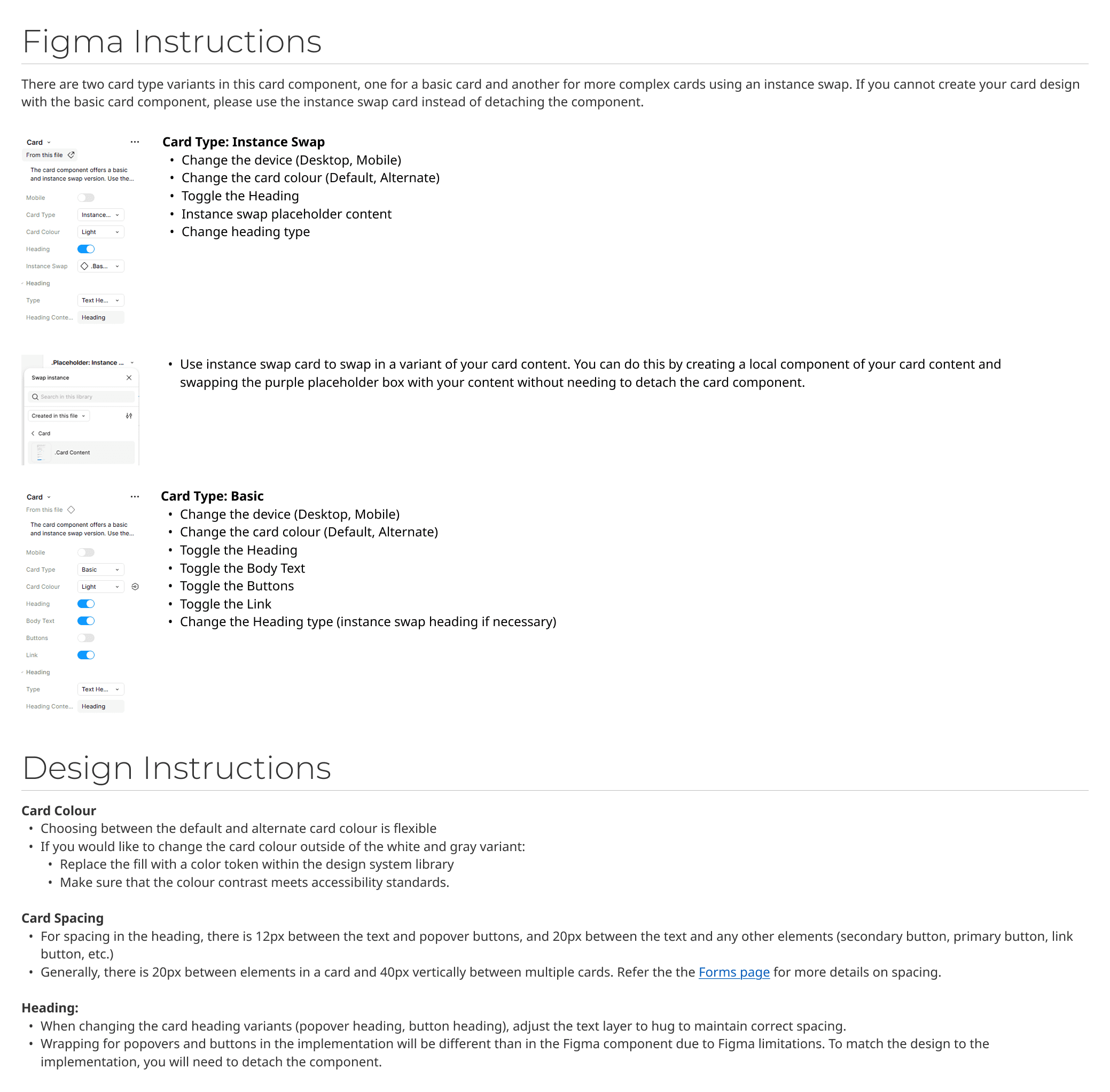
To address both simple and complex use cases, I created two variants of the card component: a Basic Card for simple layouts and an Instance-Swap Card for more complex designs. The instance-swap variant allows designers to create their own card content and replace the placeholder slot as needed.
This approach improves efficiency when creating simple card layouts while standardizing spacing and structure. At the same time, it provides a flexible option for more complex scenarios where designers need greater customization.
Feedback and Iteration
Gathering feedback from other designers is especially important when working on a design system, since they will ultimately be using the component in their products. They may identify gaps that were not initially considered or suggest useful variants that could improve the component’s flexibility.
One example of this was the card header. I had originally designed the header with an optional popover button controlled by a boolean toggle, based on patterns I observed in some existing applications. However, feedback from other designers revealed that headers could also include other patterns, such as a secondary action button or link beside the title.
This functionality was not specific to the card component and could also apply to other container components, such as drawers.
Based on this feedback, I created a base header component that could be reused within the card as well as other components. This also allows designers to instance-swap the header if the built-in options do not meet their needs.
When designing for a design system, it is important to think beyond the individual component and consider the system as a whole and how features connect with and impact other components, much like bricks that come together to form a building.
Accessibility and Working with Developers
Once the design was finalized, I handed it off to the developer and walked through the component together. This step is important to ensure the implementation matches the design and that accessibility considerations are included when the component is built.
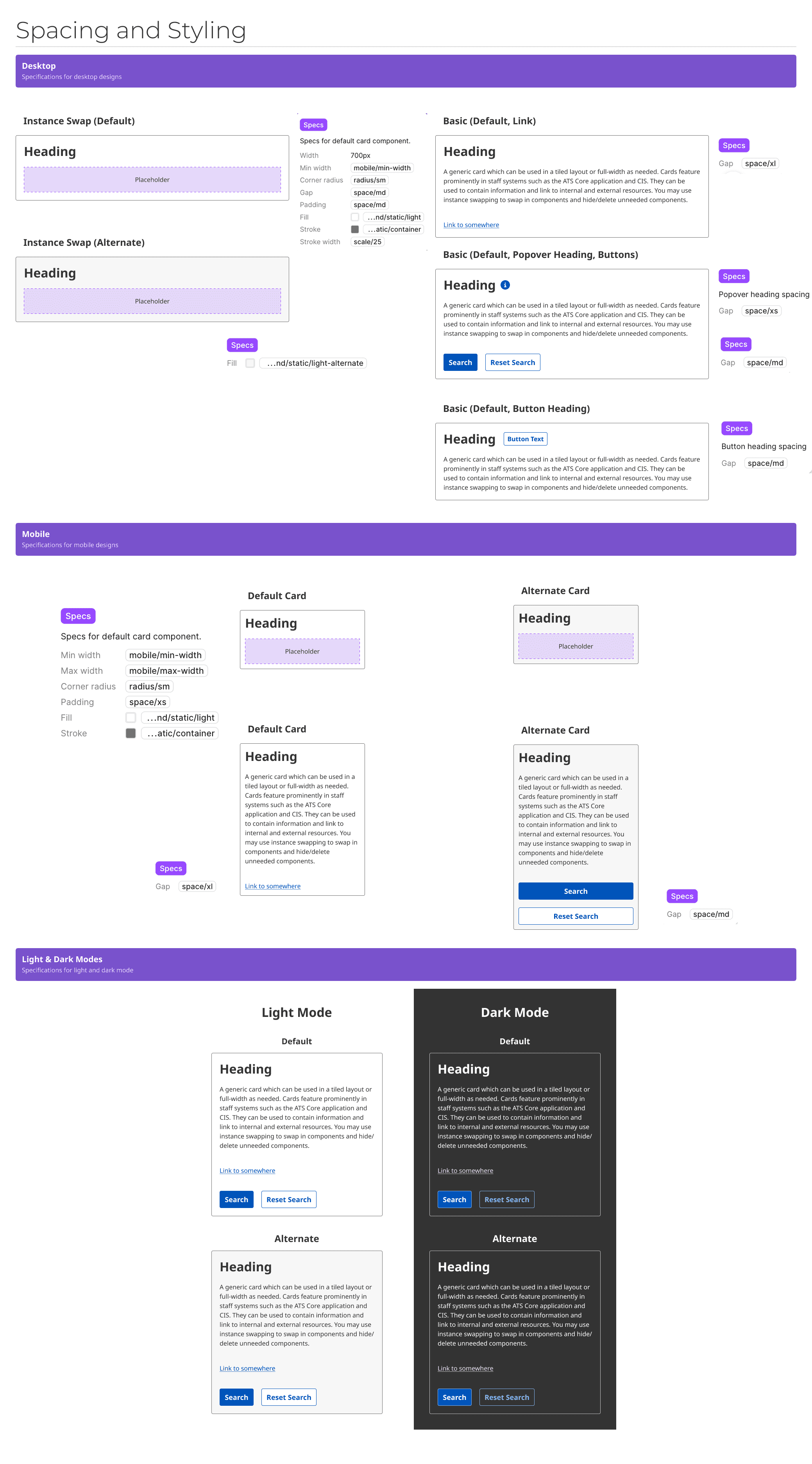
Because of Figma’s limitations, some interactions cannot always be accurately represented within components. In those cases, documentation and direct communication with developers become essential. For example, the header with the popover button in the component does not wrap in Figma the same way it behaves in the actual implementation. To address this, I included documentation explaining the expected behavior and discussed the interaction with the developer.
After the component was built, I tested it to ensure spacing, colors, and typography matched the Figma specifications. I also tested the component using keyboard navigation and a screen reader to confirm that elements were announced correctly and that users could navigate and interact with the component without relying on a mouse.
Spacing and Specs
Design and Figma Instructions
Examples
Using Design Tokens
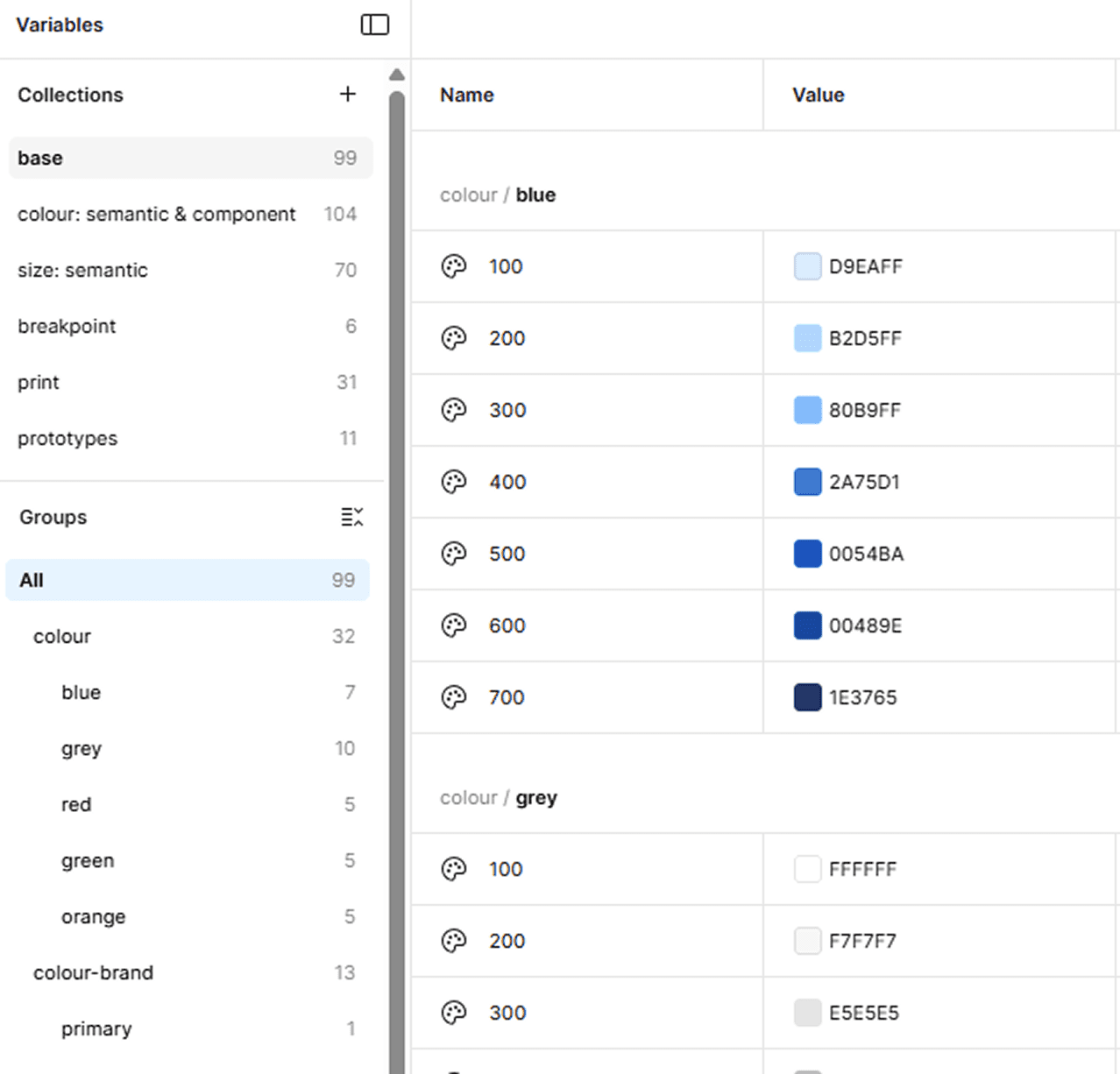
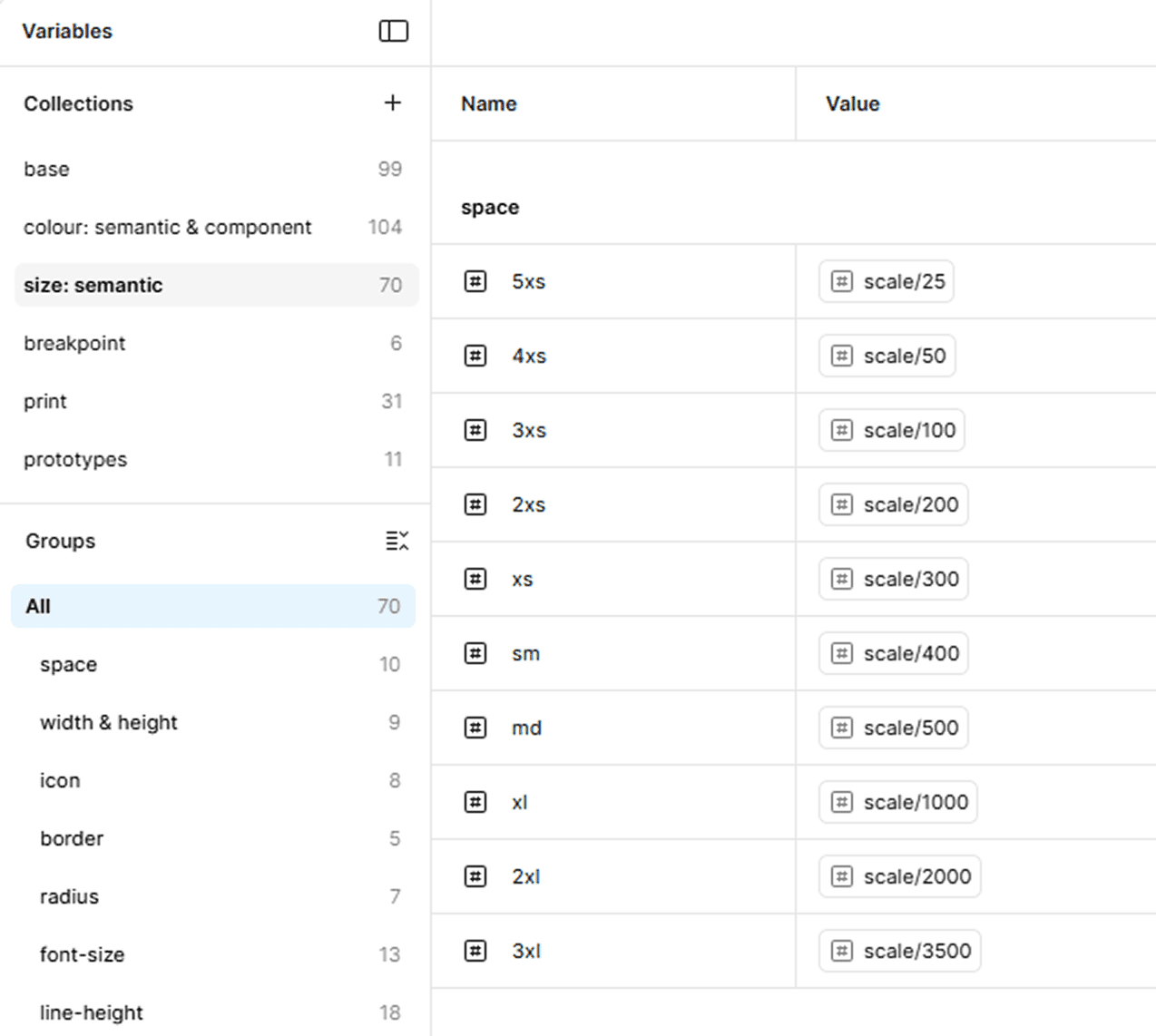
Design tokens are used across all components in the design system to help standardize values for colors, spacing, text styles, and other design properties. This makes it easier for designers and developers to maintain consistency while building interfaces. Tokens also allow designers to swap values when needed, providing flexibility without requiring components to be detached or rebuilt.
Using Design Tokens
Design tokens are used across all components in the design system to help standardize values for colors, spacing, text styles, and other design properties. This makes it easier for designers and developers to maintain consistency while building interfaces. Tokens also allow designers to swap values when needed, providing flexibility without requiring components to be detached or rebuilt.
Takeaways
One key takeaway from designing the card component is that research and feedback are critical steps in the component design process. There are many factors to consider when building a component, including both current and future use cases. Feedback from designers and developers is especially valuable for identifying gaps and improving the component’s usability and flexibility.
It is also important to consider the bigger picture. A single component is only one building block within a larger design system, and patterns introduced in one component can influence or be reused across others to create a more interconnected system. Reviewing existing design system components, patterns, and design tokens helps ensure that new components align with established standards and integrate effectively into the broader ecosystem